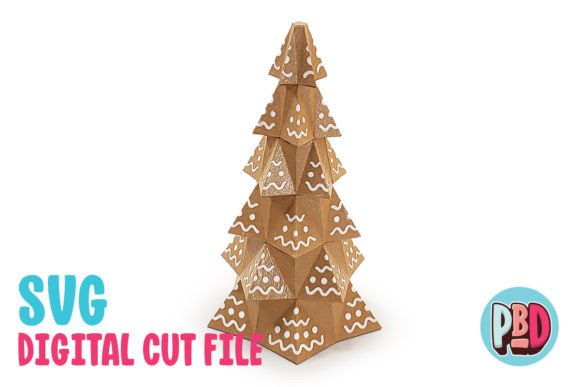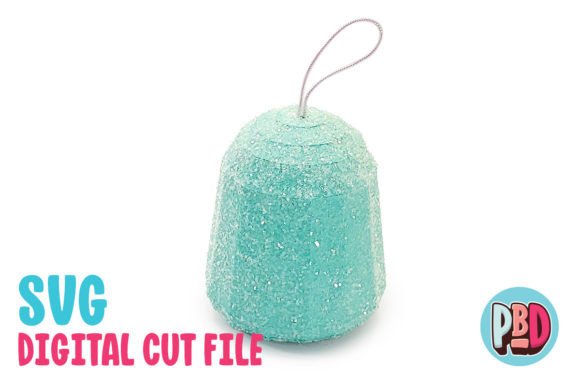
Gumdrop Tower 3D Papercraft: A Festive and Creative Addition to Your Holiday Decor
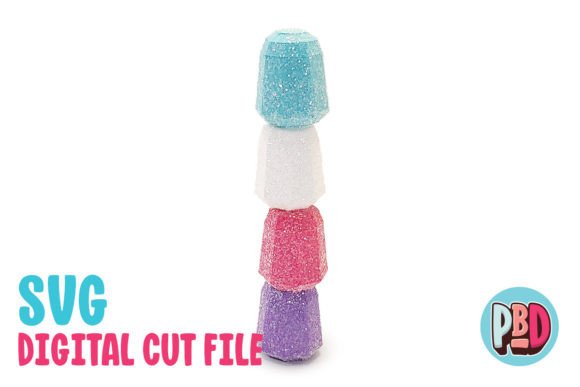
If you're looking for a unique way to add a touch of whimsy to your holiday decor, the Gumdrop Tower 3D Papercraft is an excellent choice. This stunning decoration measures 1.5 W x 1.5 D x 8 H and brings a vibrant, candy-themed aesthetic to any space. Whether you're a beginner or an experienced crafter, this project offers a fun and rewarding way to express your creativity during the holiday season.
The design is crafted to be built using 65 lb. cardstock or heavier, ensuring durability and a professional finish. The included instructions provide a full material list, making it easy to gather everything you need before starting. With glitter texturing tips provided, you can achieve a sparkling, eye-catching effect that elevates the overall look of your finished piece.
Understanding the Files and Software Requirements
The Gumdrop Tower 3D Papercraft download includes a ZIP file containing an SVG Cut File, a DXF Cut File, and a PDF Instructions document. These files are essential for creating the tower, but it's important to understand how they work with different software platforms.
SVG cut files are compatible with Silhouette Designer Edition and above, as well as Cricut Design Space. If you're using one of these programs, you'll have a smooth and efficient cutting experience. However, if you're using other software, you may encounter compatibility issues. It's always a good idea to verify that your software supports SVG files before proceeding.
The DXF cut file is designed for use with Silhouette Basic Edition. While this file format is widely used, there are some nuances to consider. For example, DXF files tend to open more slowly in Silhouette Studio and may not appear as clean as SVG files. To ensure proper loading, you must set your DXF preferences correctly. Follow these steps: Edit Preferences > Import DXF > Open and change from “As-is” to “Centered.” This adjustment helps align the file properly and prevents potential errors during the cutting process.
Avoiding Common Mistakes When Using the Files
One common mistake users make is not extracting the files before use. The ZIP file contains multiple components, and failing to extract them can lead to confusion and incomplete projects. Always remember to extract all files to a designated folder on your computer before opening them in your preferred software.
Another issue arises when users choose the wrong type of file for their software. For instance, if you're using Silhouette Basic Edition, you should rely on the DXF file rather than the SVG. Using the incorrect file type can result in improper cuts, wasted materials, and frustration. Take the time to review the compatibility information provided in the instructions to avoid this pitfall.
Some crafters also overlook the importance of cardstock weight. Using lighter paper than recommended can lead to a weak structure that may collapse or bend easily. Stick to 65 lb. cardstock or heavier to ensure your Gumdrop Tower stands tall and maintains its shape throughout the holiday season.
Preparing for a Successful Build
Before you start building your Gumdrop Tower, take a moment to review the instructions thoroughly. A well-organized workspace and all necessary materials ready can make the process much smoother. You’ll also want to plan your time carefully, especially if you’re new to 3D papercraft projects.
Consider the tools you’ll need, such as a precision knife, a ruler, and a scoring tool. These items help create clean folds and accurate cuts, which are essential for a professional-looking final product. If you're working with children or less experienced crafters, you may want to use a pre-cut template or opt for simpler designs to avoid unnecessary challenges.
Another practical tip is to test your materials and tools before beginning the full project. This allows you to identify any issues early on and adjust your approach accordingly. For example, if your cardstock isn’t cutting cleanly, you may need to adjust your blade depth or try a different type of paper.
Enhancing the Final Look with Glitter Texturing
The included glitter texturing tips are a valuable resource for adding extra flair to your Gumdrop Tower. These techniques can transform a basic paper model into a dazzling centerpiece that catches the light and adds visual interest. However, it’s important to apply the glitter carefully to avoid excess buildup or uneven coverage.
One effective method is to use a small brush or sponge to apply a thin layer of adhesive before sprinkling glitter over the surface. This ensures even distribution and minimizes mess. Alternatively, you can use a spray adhesive for larger areas, but be sure to work in a well-ventilated space and follow safety guidelines.
Remember that the goal is to enhance the design without overpowering it. Too much glitter can make the tower look cluttered, while too little may not achieve the desired effect. Experiment with small sections first to find the right balance for your project.
Final Thoughts on Building Your Gumdrop Tower
The Gumdrop Tower 3D Papercraft is more than just a decorative item—it’s an opportunity to explore your creativity and bring a unique touch to your holiday celebrations. By understanding the requirements, avoiding common mistakes, and following best practices, you can ensure a successful build that meets your expectations.
Take the time to prepare, double-check your materials, and follow the instructions closely. With a little patience and attention to detail, your Gumdrop Tower will become a standout piece that delights both you and your guests. Whether you're crafting for personal enjoyment or as a gift, this project offers a satisfying and rewarding experience that’s well worth the effort.