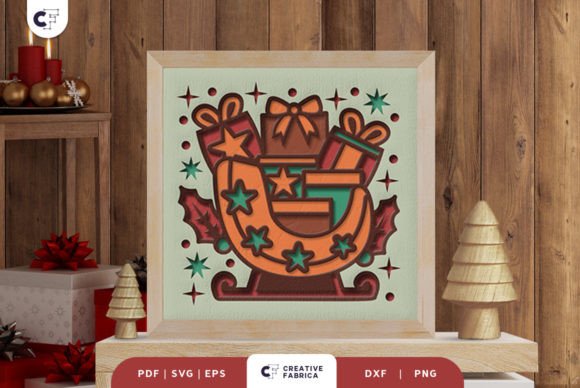
Christmas Gifts on a Sleigh 3D Paper Cut
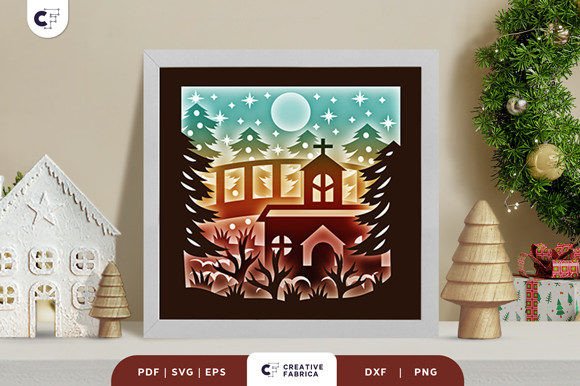
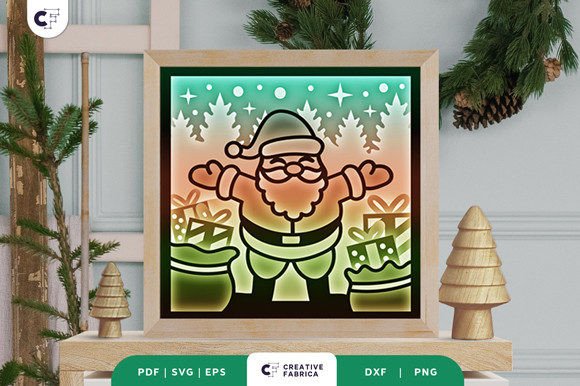
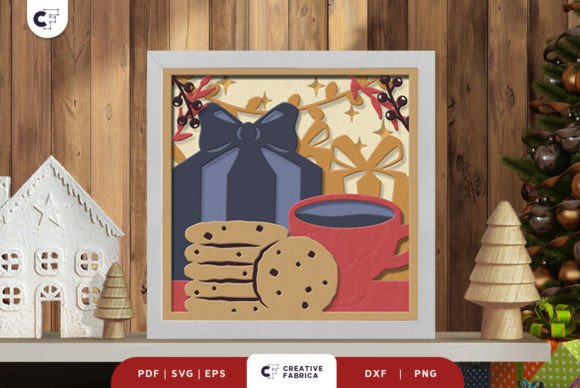
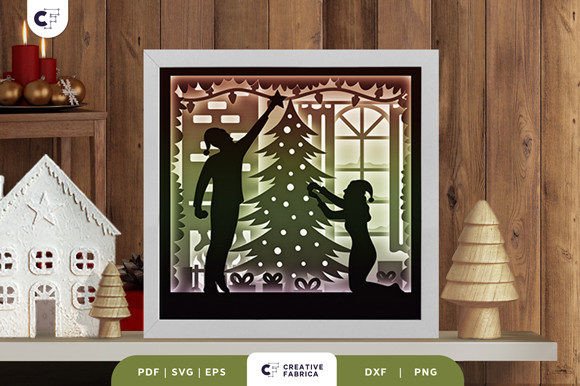
If you're looking for a unique and creative way to add holiday cheer to your home or gift-giving, the Christmas Gifts on a Sleigh 3D Paper Cut is an excellent choice. This intricate paper-cutting template offers a stunning visual effect that transforms simple paper into a detailed, layered scene of a sleigh filled with gifts. Whether you're a seasoned crafter or just starting out, this design provides a fun and rewarding project that can be customized to fit your style and space.
The template includes six layers, each designed to create depth and dimension when assembled. It comes in multiple formats—SVG, PDF, EPS, PNG, and DXF—making it compatible with a wide range of cutting machines, including Silhouette and Cricut. If you don’t have a machine, you can still enjoy the project by using an art knife and scissors. Once cut, all you need is glue or double-sided tape to bring the scene to life.
Why People Love This 3D Paper Cut
One of the main reasons people are drawn to this design is its versatility. You can frame it as a wall decoration, use it as part of a holiday display, or even enhance it with LED strips to create a light box effect. The possibilities are endless, and the final result is both beautiful and functional. It’s also a great option for those who want to make a personalized gift for friends, family, or colleagues.
The design is especially appealing to crafters who enjoy working with paper and creating three-dimensional art. It allows for creativity in choosing colors, textures, and materials. Many users appreciate the level of detail in the template, which makes the finished product look professional and polished without requiring advanced skills.
Common Mistakes and Misunderstandings
Despite its appeal, there are a few common mistakes that users may encounter when working with this 3D paper cut. One of the most frequent issues is not paying attention to the aspect ratio when resizing the SVG file. While the design can be scaled, maintaining the correct proportions is essential to ensure that all layers align properly. Resizing incorrectly can lead to misalignment, making the final piece look uneven or unbalanced.
Another mistake is overlooking the importance of using the right type of paper. The template is designed for cardstock, and using a lighter or less sturdy material can affect the durability and appearance of the finished product. For best results, it’s recommended to use high-quality cardstock, such as Encore Cardstock 80 lb cover, which is specifically mentioned in the product description.
Some users may also underestimate the time and effort required to assemble the layers. While the process isn’t overly complicated, it does require patience and careful attention to detail. Rushing through the steps can lead to errors, such as misaligned layers or improper adhesion, which can detract from the overall quality of the project.
How to Avoid These Issues
To avoid these common pitfalls, start by carefully reviewing the instructions provided with the template. Make sure you understand how to resize the SVG file while keeping the aspect ratio intact. If you’re unsure about scaling, it’s better to work with the original dimensions to ensure accuracy.
When selecting materials, choose a cardstock that is thick enough to hold up to the layers and any additional embellishments. High-quality paper not only looks better but also lasts longer, ensuring that your finished piece remains in good condition for years to come.
Finally, take your time when assembling the layers. Work in a well-lit area, and use a ruler or straight edge to help align the pieces. If you're using glue, apply it sparingly to avoid excess that could seep through the paper and ruin the appearance. Double-sided tape can also be a helpful alternative for a cleaner finish.
What to Check Before Using the Template
Before diving into your project, make sure you have all the necessary tools and materials. This includes a cutting machine or manual cutting tools, glue or tape, and the appropriate paper stock. If you plan to add LED lights for a special effect, check that your design allows for the placement of the strips without damaging the structure.
It’s also a good idea to test the template on a small scale before committing to the full project. This can help you identify any potential issues with the design or assembly process. If you’re new to 3D paper cutting, consider watching tutorials or reading guides to gain a better understanding of the techniques involved.
Lastly, keep in mind that the final color of your project may vary slightly depending on the lighting and the paper you choose. This is normal and doesn’t affect the quality of the design. Embrace the subtle differences and enjoy the personal touch that comes with handmade crafts.
Final Thoughts
The Christmas Gifts on a Sleigh 3D Paper Cut is a fantastic project that combines creativity, craftsmanship, and holiday spirit. With the right approach, it can become a standout piece that adds charm to your home or serves as a thoughtful gift. By avoiding common mistakes and following practical tips, you can ensure a successful and satisfying experience.
Whether you're a beginner or an experienced crafter, this template offers a rewarding challenge that showcases the beauty of paper art. Take the time to plan, prepare, and execute your project with care, and you’ll be rewarded with a stunning, handcrafted creation that brings joy to everyone who sees it.